


Table of Contents
Online Video Converter: Free Media Format Optimization
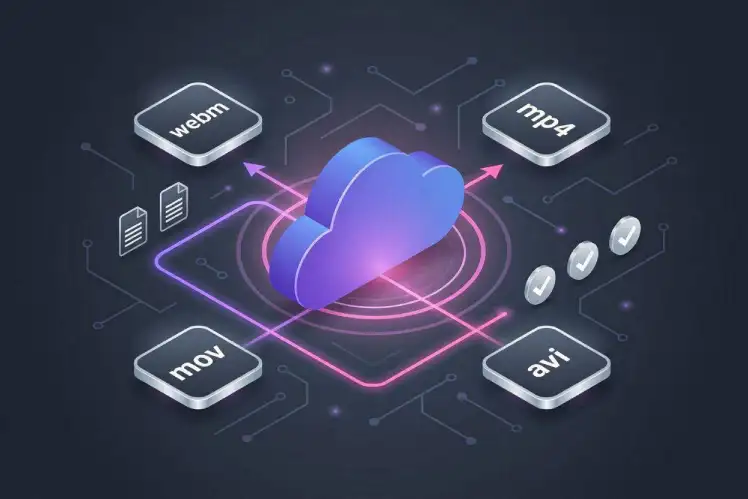
Looking for a highly secure, fast, and entirely free online video converter? You have reached the perfect web utility! Our universal cloud-based platform allows you to format, restructure, and convert your digital media files into universally recognized containers like MP4, AVI, MOV, or WebM. Optimize your personal video clips, mobile recordings, and heavy multimedia assets for seamless playback on any smartphone, tablet, desktop computer, or smart television—all without installing bloated third-party software.
Digital video formats are incredibly diverse, and different operating systems require specific compression profiles to play files smoothly. Our platform serves as the best free video converter available directly in your web browser. By executing 100% of the heavy computational file encoding on our high-speed remote server architecture, we protect your personal devices from memory slowdowns, device overheating, and excessive battery drainage. Use our free video converter online to reformat and optimize web content for seamless offline viewing on your smart TV, smartphone, tablet, or desktop computer.
How to Change Video Formats Instantly
Modifying your digital media extensions for cross-platform compatibility is completely straightforward. Our user interface is structurally optimized to process your files with minimal friction. Follow these four quick processing steps:
1.Select Your Input File:
Step 1: Upload Asset.
Choose the video file you wish to transcode from your computer or mobile device storage, or input the specific media file path directly into our responsive system dashboard.
2.Choose the Target Extension:
Step 2: Configuration.
Open the file extension dropdown menu. Select your preferred output container. For maximum cross-device display compatibility, we highly recommend choosing to convert video to MP4 free.
3.Format and Optimize:
Step 3: Processing.
Click the clear “Convert” button. Our cloud cluster will immediately initiate a change video format online script, adjusting file bitrates, visual resolutions, and audio layers.
4.Save Your Formatted Video:
Step 4: Completion.
Once the backend encoding pipeline finishes, a secure download link will appear on your screen. Select the button to finalize the transmission and save your optimized file locally.
Universal Technical Specifications & Features
Our multi-purpose online file converter tool is engineered from the ground up to support modern media standards while preserving data integrity. Here is why our conversion pipeline stands out:
- Massive Format Support: Seamlessly switch back and forth between major digital video and audio containers, including MP4, MKV, AVI, MOV, FLV, and high-efficiency WebM structures.
- Lossless Quality Retention: Our cloud-based encoding presets are fine-tuned to process file data symmetrically, ensuring your original visual clarity and audio sync remain perfectly intact.
- Universal Browser Access: Enjoy a responsive layout that works flawlessly on Google Chrome, Apple Safari, Mozilla Firefox, and Microsoft Edge across all mobile and desktop devices.
- Absolute Privacy Protection: We value your data security. All uploaded file streams, temporary processing caches, and generated files are automatically and permanently scrubbed from our storage drives shortly after processing concludes.
How to online Download Videos with Free Video Convertor
Our URL Video Converter is simple to use and has a friendly design.
The steps are as follows:
Step 1: Copy of the video’s URL.
You only need to copy the URL of the video you want to download. Example YouTube video URL
Step 2:
Enter the video URL here.
Paste the URL into the space provided in the tool box above.
Step 3:
Click the “Download Video” button or press the Enter key.
To begin processing the keyword, click on the “Download Video” button provided below or press Enter on the keyword.
Step 4:
Select the video quality to download.
We offer a variety of video quality formats for download. Choose the video quality that you like.
5th step:
Select the “Download” option.
Click on the “Download” button next to the video file size to be redirected to a new website, then click on the three verticle dot button to download the video.
Following that, you will receive the findings in a matter of seconds and will be able to save the movie to your computer or smartphone for free.
About free Online Video Converter
Online Video Converter by freevideoconvertor.com is a free web application that allows you to download and convert online videos so you may watch them whenever you want, even if you don’t have an internet connection.
This tool is designed to be simple to use and fast.
Free Video Converter is also intended to save you a significant amount of bandwidth while downloading your favourite videos.
In addition, our online video grabber application enables lightning-fast multistream downloading, allowing you to save many videos in original and HD quality in a matter of seconds.
Frequently Asked Questions (FAQ)
What makes this the best free video converter tool online?
Our platform stands out because it requires zero user registration, features no hidden premium paywalls, and performs heavy video transcoding entirely in the cloud rather than using your local computer’s processing power.
Can I convert large high-definition video files here?
Yes! Our high-bandwidth infrastructure is built to easily handle modern high-definition files. You can scale your output files to standard configurations or match high-resolution screens up to 1080p.
 9GAG
9GAG Akıllı TV
 Bandcamp
 Bilibili
 Bitchute
 Blogger
 BluTV
BluTV Buzzfeed
 Dailymotion
 Douyin
 ESPN
ESPN Facebook
 Febspot
 Flickr
 Gaana
Gaana Ifunny
 IMDB
IMDB Imgur
Imgur Instagram
 Izlesene
 Kickstarter
 Kwai
Kwai Likee
Likee LinkedIn
 Mashable
 Mixcloud
 MxTakatak
 Ok.ru
Ok.ru Periscope
 Pinterest
 PuhuTV
 Reddit
 Rumble
 Share Chat
 Soundcloud
 Streamable
 TED
TED Tiktok
 Tumblr
 Twitch
 Twitter
 Vimeo
Vimeo VK
VK YouTube