
How to Compress Video for Twitter Free Online
Have you ever tried posting a video to Twitter (X) only for the progress bar to freeze, crash, or return a “Media processing failed” error? Learning how to compress video for twitter free before publishing is the easiest way to ensure your clips upload instantly without triggering platform processing errors.
Twitter enforces specific file size limits and bitrate caps for media uploads. High-bitrate 1080p and 4K videos recorded on modern smartphones frequently stall during the upload phase or suffer severe quality drops due to server-side compression. Fortunately, you can prepare and shrink your video files online using optimal specifications without installing paid software.
In this guide, you will learn the exact steps to shrink your clips for Twitter while maintaining sharp visual clarity and smooth playback.
Why You Need to Compress Video for Twitter Free
Twitter limits video file parameters to preserve bandwidth and ensure fast timeline rendering across mobile networks.
- File Size Caps: Standard web and mobile uploads are capped at 512 MB, though larger files often fail on slower connections.
- Length Boundaries: Non-subscribed accounts can upload videos up to 2 minutes and 20 seconds (140 seconds) in duration.
- Processing Errors: Uploading uncompressed or high-bitrate files increases network timeouts, resulting in stuck or dropped uploads on the X platform.
To review official platform media specs, visit the Twitter/X Help Center Media Upload Guidelines. For advice on optimizing content across other short-form video networks, check out our guide on How to Compress Video for TikTok Free.
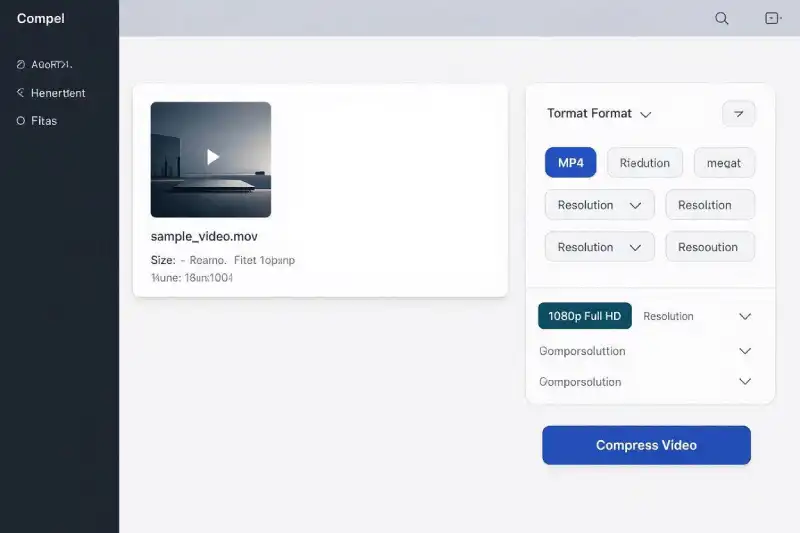
How to Compress Video for Twitter Free in 3 Simple Steps
You can lower video file sizes and match Twitter specs directly in your web browser using our Free Online Video Converter.
Step 1: Upload Video ➔ Step 2: Choose MP4 & 1080p/720p ➔ Step 3: Compress & Download
Step 1: Upload Your Video File
Open the Free Video Converter Tool and drag your video file directly into the upload box.
Step 2: Select MP4 Output and Set Resolution
Select MP4 as your destination file format. Set your resolution to 1080p (1920×1080) for landscape clips or 720p to achieve maximum file size reduction while maintaining high visual clarity.
Step 3: Compress and Download
Click Convert. Once cloud processing finishes, click Download to save your Twitter-ready file back to your computer or mobile device.
Technical Settings to Compress Video for Twitter Free
Applying the correct technical configuration before uploading guarantees that Twitter will process your video smoothly without additional server encoding:
| Parameter | Recommended Setting | Reason for Setting |
| Video Codec | H.264 | Standard codec required by Twitter for seamless inline playback. |
| Audio Codec | AAC (128 kbps) | Delivers crisp audio across web browsers and mobile apps. |
| Target Resolution | 1920×1080 (Landscape) / 1080×1080 (Square) | Matches standard feed ratios without awkward black bars. |
| Frame Rate | 30 fps or 60 fps | Prevents frame drop issues during fast action or motion clips. |
For full technical specifications on the H.264 encoding standard, refer to the Apple Developer Media Encoding Standards. If you are converting QuickTime files captured on iOS devices, read our comparison on MOV vs MP4: Which Format Should You Use?.
Frequently Asked Questions
Why does my Twitter video upload keep failing?
Twitter video uploads usually fail because the video bitrate is too high, the file format is unsupported, or network timeouts occur due to large file sizes. Pre-compressing your video to a lightweight MP4 file resolves these issues.
What is the best video format for Twitter (X)?
The ideal format for Twitter is MP4 video with H.264 video codec and AAC audio, keeping the file size under 512 MB and the frame rate at 30 or 60 fps.
Can I compress video for Twitter free on mobile devices?
Yes. Our converter runs directly inside web browsers like Safari, Chrome, and Firefox, allowing you to compress files on mobile devices before uploading them through the Twitter app.